
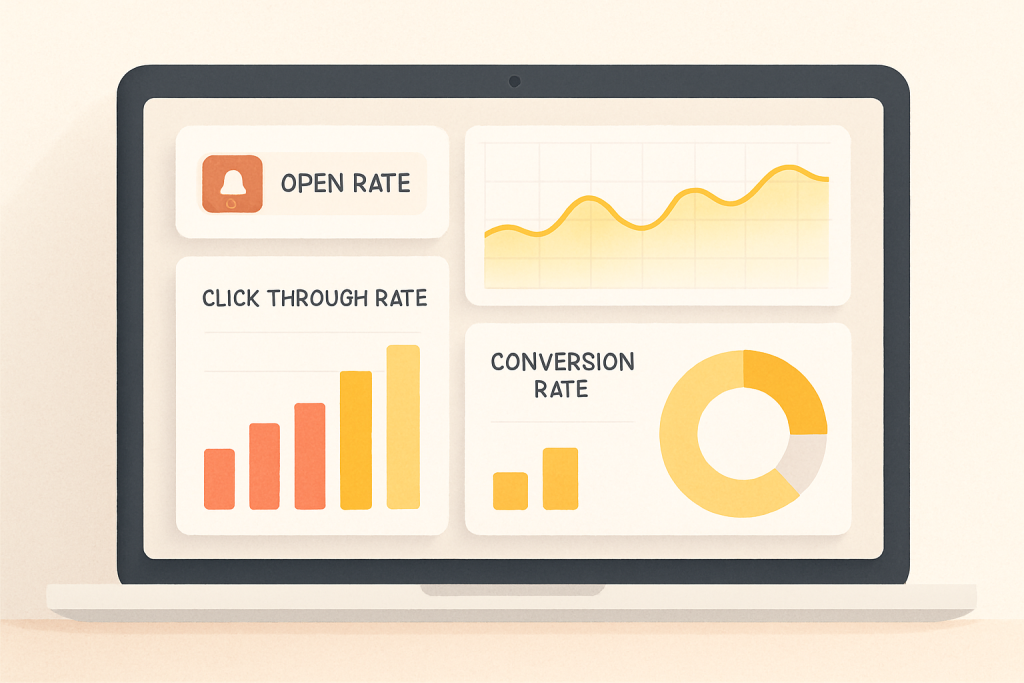
Push notifications have become a powerful tool for e-commerce businesses, offering a direct line of communication with customers. But sending notifications is only half the battle. To truly harness their potential, you need to measure their performance and understand what’s working and what’s not. This article will guide you through the essential metrics and strategies for analyzing your push notification campaigns, turning data into actionable insights that drive growth.
Why Measuring Push Notification Performance is Crucial
In the fast-paced world of e-commerce, data-driven decisions are paramount. Measuring the performance of your push notifications allows you to:
- Optimize your campaigns: Identify what resonates with your audience and refine your messaging and timing for maximum impact.
- Improve customer engagement: Understand how users interact with your notifications and tailor your approach to foster stronger relationships.
- Increase conversion rates: Track which notifications lead to sales and focus on strategies that directly contribute to revenue.
- Reduce churn: Monitor unsubscribe rates to identify potential issues with your messaging or targeting and address them proactively.
- Maximize ROI: Ensure your push notification strategy is delivering a positive return on investment by analyzing the cost versus the benefits.
Without tracking and analysis, you’re essentially flying blind. You might be sending out hundreds of notifications, but you won’t know if they’re actually contributing to your business goals.
Key Metrics to Track
Several key metrics provide valuable insights into the effectiveness of your push notification campaigns:
Open Rate: Gauging Initial Engagement
The open rate is the percentage of users who open a push notification after receiving it. It’s a crucial indicator of how compelling your message is at first glance. A low open rate suggests your subject lines might be unappealing or your timing could be off.
- Calculation: (Number of Notifications Opened / Number of Notifications Sent) x 100
- What to look for: Track open rates over time and across different segments. Look for patterns and identify which types of messages perform best.
- Improvement strategies: Experiment with different subject lines, emojis, and personalization techniques to capture attention. Consider the best time to send notifications based on your audience’s behavior.
Click-Through Rate: Measuring User Interest
The click-through rate (CTR) measures the percentage of users who click on a link within a push notification. It reflects how engaging your content is and whether it motivates users to take action. A high CTR indicates that your message is relevant and resonates with your audience.
- Calculation: (Number of Clicks / Number of Notifications Sent) x 100
- What to look for: Compare CTRs across different campaigns and segments. Analyze which offers, promotions, or content drive the most clicks.
- Improvement strategies: Ensure your call to action is clear and compelling. Use high-quality images or GIFs to enhance visual appeal. Optimize the landing page linked in the notification for a seamless user experience.
Conversion Rate: Assessing Campaign Effectiveness
The conversion rate measures the percentage of users who complete a desired action after clicking on a push notification, such as making a purchase, subscribing to a newsletter, or downloading an app. This is the ultimate metric for determining the ROI of your push notification campaigns.
- Calculation: (Number of Conversions / Number of Notifications Sent) x 100
- What to look for: Track conversion rates for specific campaigns and segments. Identify which types of notifications lead to the most conversions.
- Improvement strategies: Ensure the landing page aligns with the message in your notification. Offer a seamless and frictionless checkout process. Use personalized offers and promotions to incentivize conversions. Pushloop’s abandoned cart recovery feature, for example, can significantly improve conversion rates by reminding customers about items left in their carts.
Unsubscribe Rate: Identifying Potential Issues
The unsubscribe rate is the percentage of users who opt out of receiving push notifications. A high unsubscribe rate can indicate that your messaging is irrelevant, too frequent, or intrusive. It’s crucial to monitor this metric to identify potential issues and address them promptly.
- Calculation: (Number of Unsubscribes / Number of Notifications Sent) x 100
- What to look for: Monitor unsubscribe rates over time and across different segments. Look for spikes in unsubscribes after specific campaigns or events.
- Improvement strategies: Segment your audience to send more targeted and relevant notifications. Provide clear opt-out options and respect user preferences. Re-evaluate your messaging frequency and timing to avoid overwhelming users.
Tools for Analyzing Push Notification Data
Several tools can help you track and analyze push notification data:
- Pushloop Analytics: Pushloop provides built-in analytics to track key metrics like open rates, click-through rates, and conversion rates. This data helps you understand the performance of your campaigns and identify areas for improvement.
- Google Analytics: Integrate Google Analytics with your e-commerce platform to track user behavior after clicking on a push notification. This allows you to gain insights into how push notifications contribute to overall website traffic and conversions.
- Third-Party Analytics Platforms: Consider using specialized analytics platforms that offer advanced features like A/B testing, segmentation, and user behavior analysis.
Using Data to Optimize Future Campaigns
Once you’ve gathered data on your push notification performance, the real work begins: using those insights to optimize future campaigns.
- A/B Testing: Experiment with different subject lines, content, and send times to see what resonates best with your audience.
- Segmentation: Divide your audience into smaller groups based on demographics, behavior, and preferences to send more targeted and relevant notifications.
- Personalization: Use customer data to personalize your notifications, making them more engaging and relevant.
- Timing Optimization: Send notifications at the times when your audience is most likely to be active and receptive.
- Continuous Monitoring: Regularly track your key metrics and adjust your strategy as needed to ensure ongoing success.
Conclusion: Data-Driven Push Notification Success
Measuring the success of your push notification campaigns is not just a best practice—it’s essential for maximizing their potential. By tracking key metrics like open rates, click-through rates, conversion rates, and unsubscribe rates, you can gain valuable insights into what’s working and what’s not. Use these insights to optimize your messaging, targeting, and timing, and you’ll be well on your way to achieving data-driven push notification success. Embrace the power of analytics, and transform your push notifications from a simple broadcast channel into a powerful engine for growth.

